
Tron: Legacy disc build
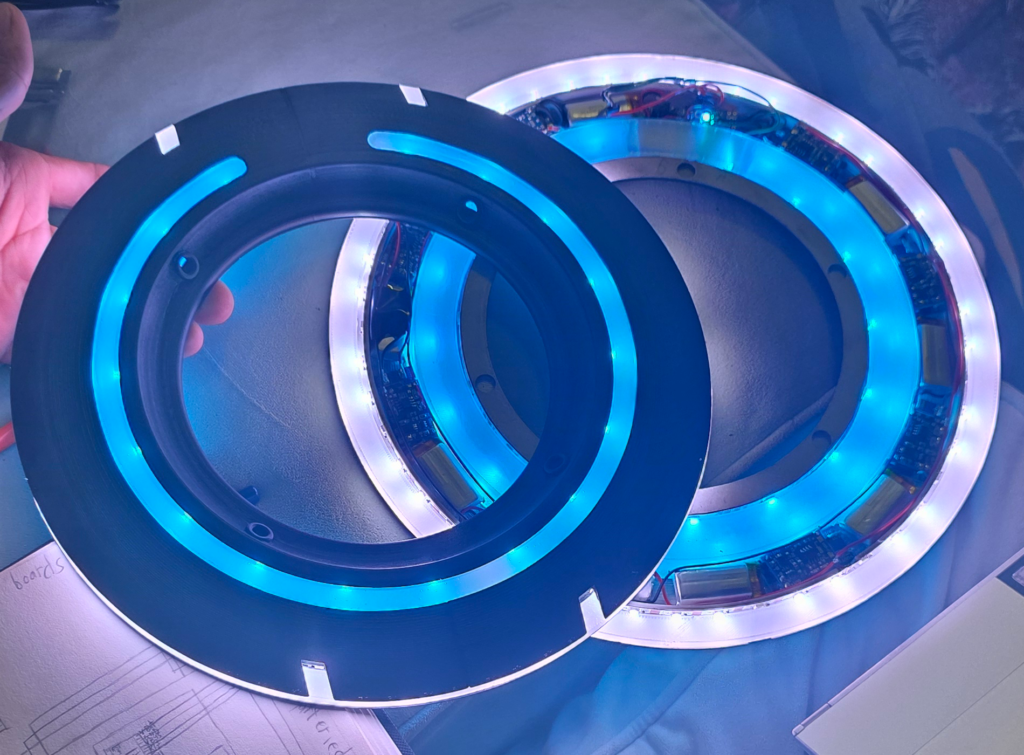
Tron has been my favorite movie basically since it came out in 2010 and like every other kid who loved Tron I desperately wanted a good disc. I made the model years ago and finally in 2025 I dedicated significant time to updating the design and actually making it real. Mostly spurred by the upcoming release of Tron: Ares I wanted to make the version that Rinzler brandishes in Legacy. While there are some discs that have an expanding and retracting blade I felt I could do it better with my engineering and coding background.
This page is dedicated to the build process of the disc, if you are looking to order one the listing page can be found here.
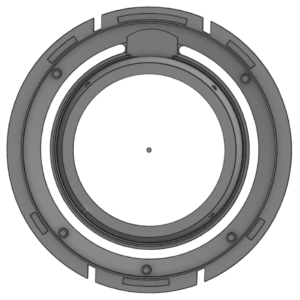
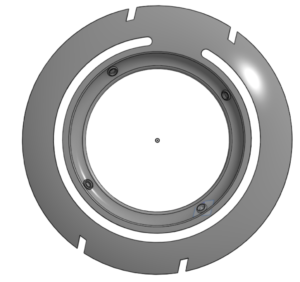
For several years while I was in college this was the design that I had for the disc some complexities to it but overall fairly simple/straightforward. This was also a point where I was an intense procrastinator and since there was no deadline to get the disc done for (i.e. a convention like my cosplays) there was never pressure to get it done. This design was created using what I felt was a good diameter of 12 inches. For some people that may seem large but for my hands it seemed like a good representation from the movie. It is also set up to accept very specific Lipo’s and Lipo charger setups.
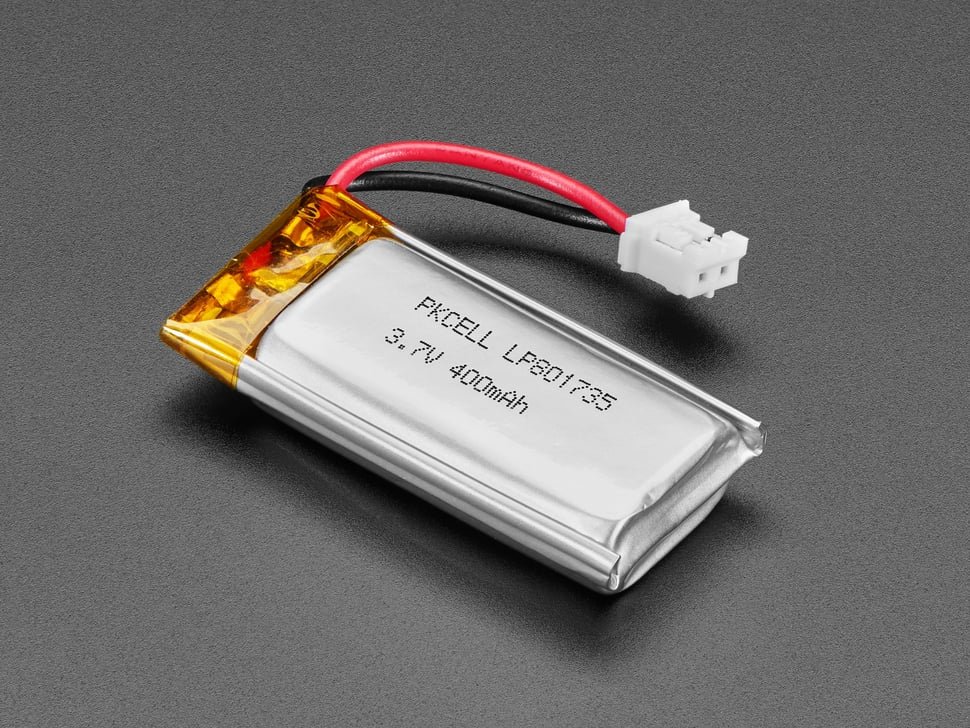
These small Lipo’s are from Adafruit, they are a fantastic company that creates a wide array of microcontroller boards along with hats/daughter boards for the big players (Arduino and Raspberry Pi). I found them during my mechatronics class where the kit that we used was all Adafruit parts. And I highly recommend checking them out for any control board needs you would have! While researching Lipo’s I learned why they are dangerous to set up charging. Batteries are really just chemicals that interact with each other to release electrons, and lipo’s are able to have the stock of these released electrons replenished. But since they are just chemicals that means they are susceptible to manufacturing variance, the chemical composition of every lipo is slightly different. Meaning that they charge at slightly different rates, as such if you have multiple lipo’s connected to the same charging circuit then one can charge quicker than the others and become overcharged while others have not reached a full charge. This overcharging can damage the physical parts of the lipo leading to the chemicals being able to interact in ways they are not designed to leading to expanding and even explosion. To counteract this I looked into multi-cell charging circuits but could not find one small enough for the disc. On top of this the Neopixel LED’s require 5V to function so I also needed to step up the Lipo’s output, 4.2 – 3.7 V, to run them correctly.
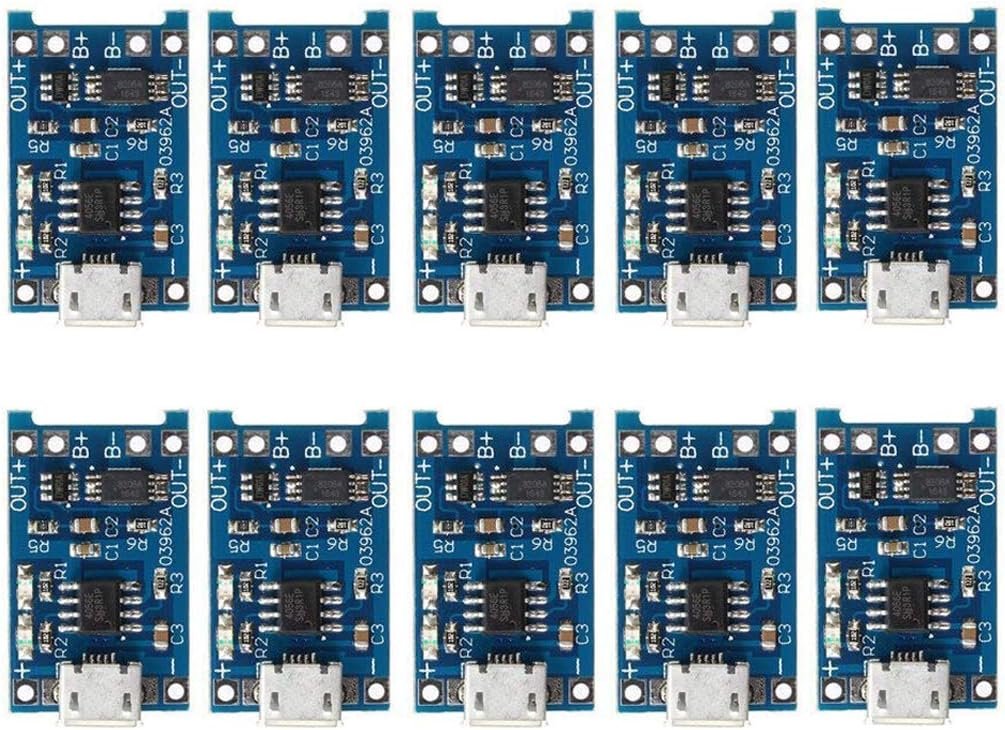
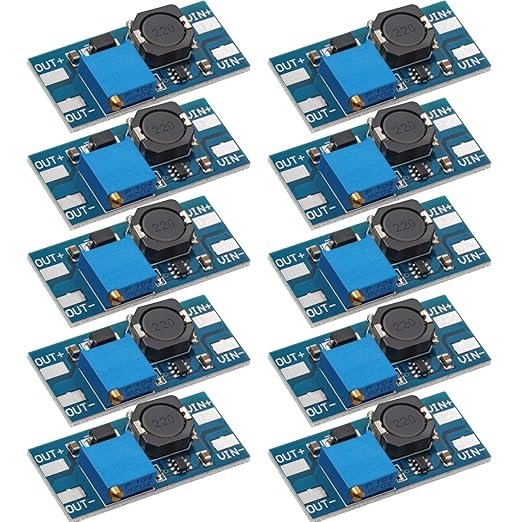
Luckily I was able to find both of these boards to use as a combo to get the charging and step up functions needed for the discs. They were also good and small which was critically needed for the disc. While I could have made it easier and just made the disc thicker I wanted to keep it as thin as possible and in line with the design I’d already gone with. So I bought a set of each of them to test the function of them with the neopixels and was happily surprised with their functioning to charge lipo’s safely and convert the output to 5 V. I also looked closely at the converters and realized I could remove the potentiometers (the big blue square) since I needed them to only step up to 5V and solder a 16 kOhm resistor in its place. I got the resistance value from getting one to output at 5V then just measuring the resistance with a multimeter.
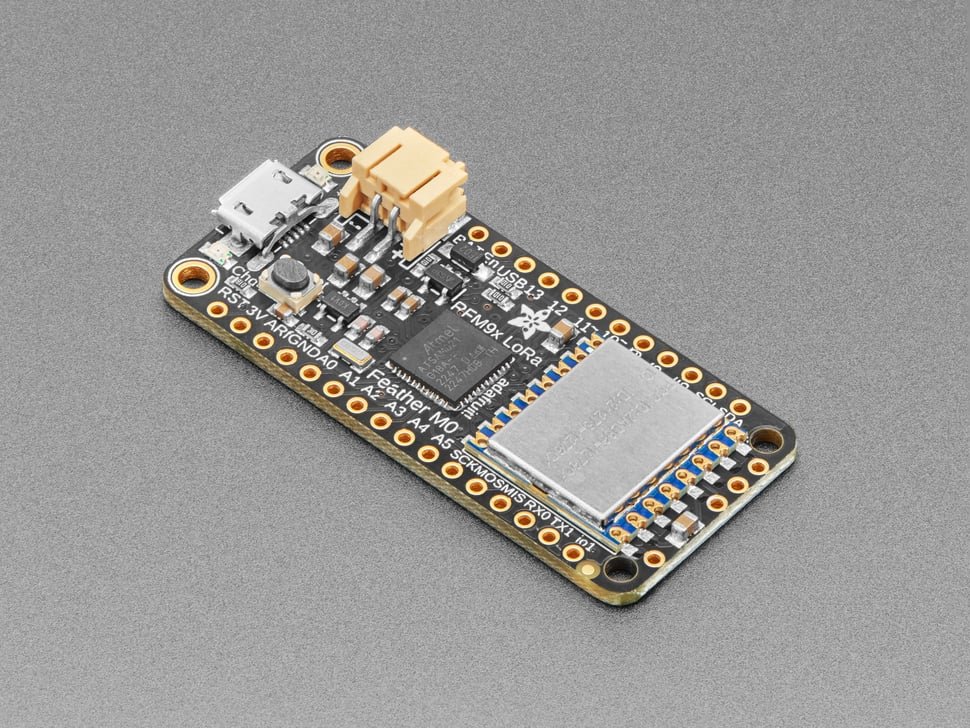
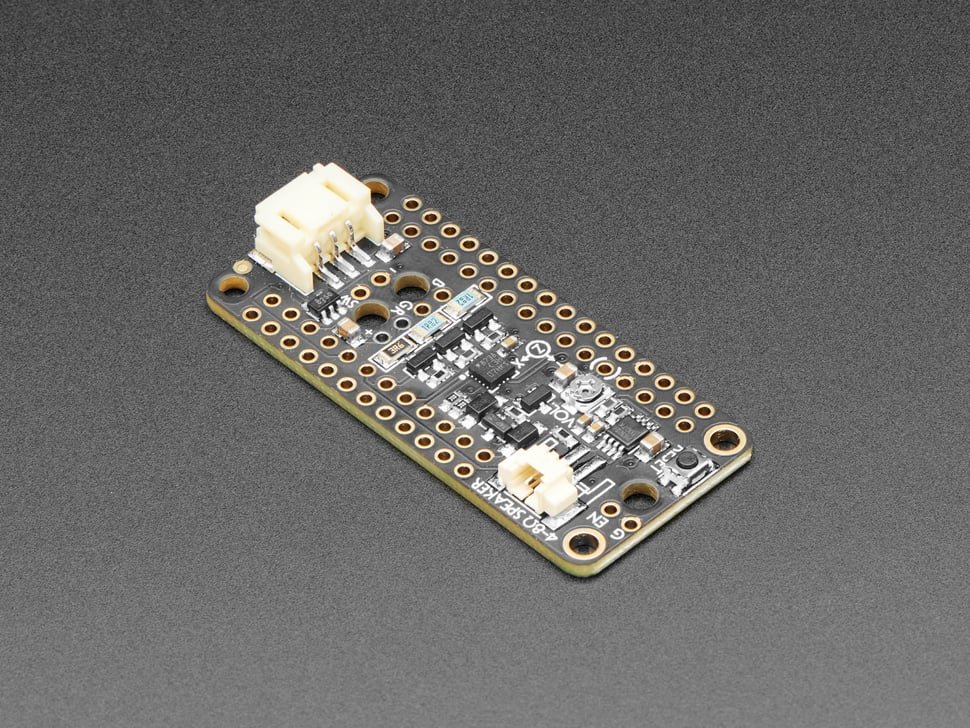
Once I had the power done I then moved on to coding and setting up the functions of the disc. I initially went with the M0 RFM9x LORA Feather, with a propmaker feather wing. Both are again from Adafruit the feather is the main control board and the propmaker is a add on board to get some extra functionality. I then looked up some example Arduino code for the LORA functionality, then using the example I was able to write my own code to transmit between 2. Using that transmit function I was able to set the color of the Neopixel LED’s wirelessly, then once I had that portion of the code I set up a function to be able to change the LED color that is transmitted using a series of buttons.
However, once I was able to get that to transmit I found out that Arduino does not handle audio that well and that Python is superior for audio quality. So then I began learning Python specifically CircuitPython, I had only used Arduino IDE and MATLAB when in college so I was unfamiliar with the Syntax rules of Python coding and relied heavily on finding examples to accomplish what I wanted. But since Python is such a popular coding language I figured I could push off working on the code in favor of the physical portions again. Mostly because I needed to come up with a way to expand and retract the blade in a circular shape. The difficulty is getting a smooth round edge from a smaller radius. Finding the tool below I knew that I essentially needed the inverse of it, something that if spun would expand outwards instead of inwards.
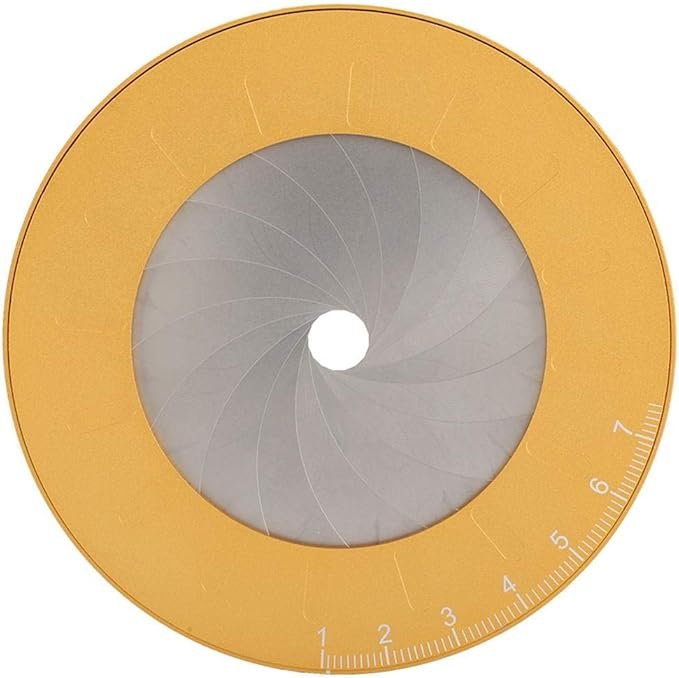
So I began designing different vanes that I thought could accomplish what I wanted; there were several designs that I went through until I landed on the final setup that had the least amount of gap between the vanes when deployed and stowed away. As I was playing around with the design of the vanes, as I called them, I saw that as the number of vanes increased they had a smoother transition between the two modes. Which once I thought about that made sense, since circles are shapes made up of an infinite number of segments, but I ended up settling on 36 vanes in each portion of the disc.
Once I had the proof of concept that the expanding and retracting method would work I then went on to working on the actual driving system. There were 3 iterations of the drive mechanism. They all worked decently but the last one worked the best and most reliably during the testing and was also the most robust so that it could stand up to travel and actual use.
After that I needed to come up with a way to drive the motor in both directions it was a bit difficult since the propmaker feather does not have motor drive function so I was just going to use the High Power LED connections. But it took me longer than it should have to realize that they are using a common positive pin. So I was not able to just connect the pins opposite to each other to drive one way vs another. I then tried using a double throw relay to be able to swap the drive direction but getting the relay to fit into the assembly would be difficult.
I then continued to develop and refine some parts of the disc:
- Creating a code base
- Putting together the battery assemblies
- Preparing clear vanes
- Cutting and sanding down the feather and propmaker boards
- Printing and casting silicone into the Inner “C” shape of the disc.
Then going to assemble everything together in preparation to fly to Disneyworld and for the Ares premiere. But nothing is ever that easy and as I went to test everything the code was not working and the boards were no longer functioning as expected. I tried troubleshooting for an entire night and was not able to figure out what the root cause was. So I ended up having to simplify my code so that it just turns on when the two halves are split apart and turns off when they are put back together. The night before I flew to Disney for the earliest showing that I could get a ticket for.
The disc was a big success at Disney! But after the prototype I knew that I could still make it better and get all of my ideas for it implemented fully. The original CAD had gotten extremely cumbersome with old parts and a ton of inefficient operations, there were over 260 sketches and 250 extrusion operations. All of these items were causing lags and glitches so I decided to remake the CAD with everything that I had learned from the prototype to make a more efficient and easy final version.
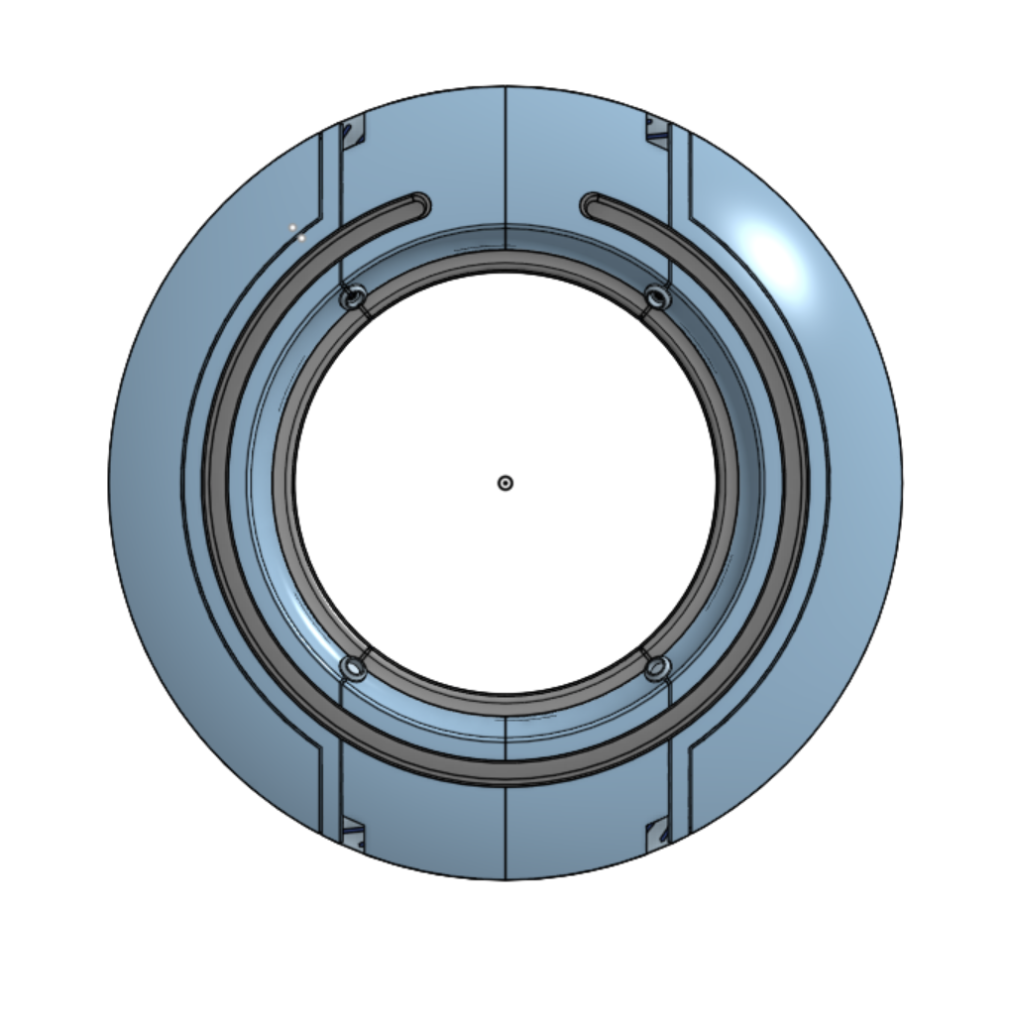
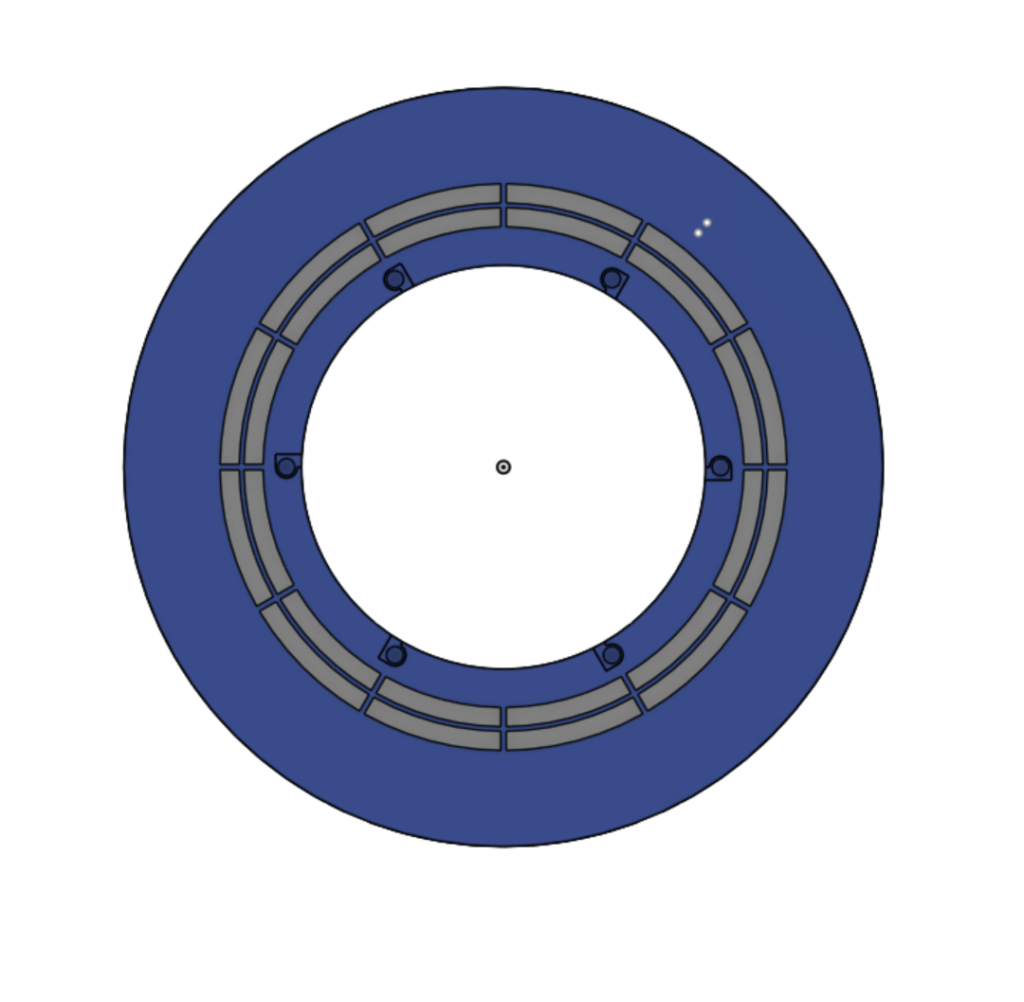
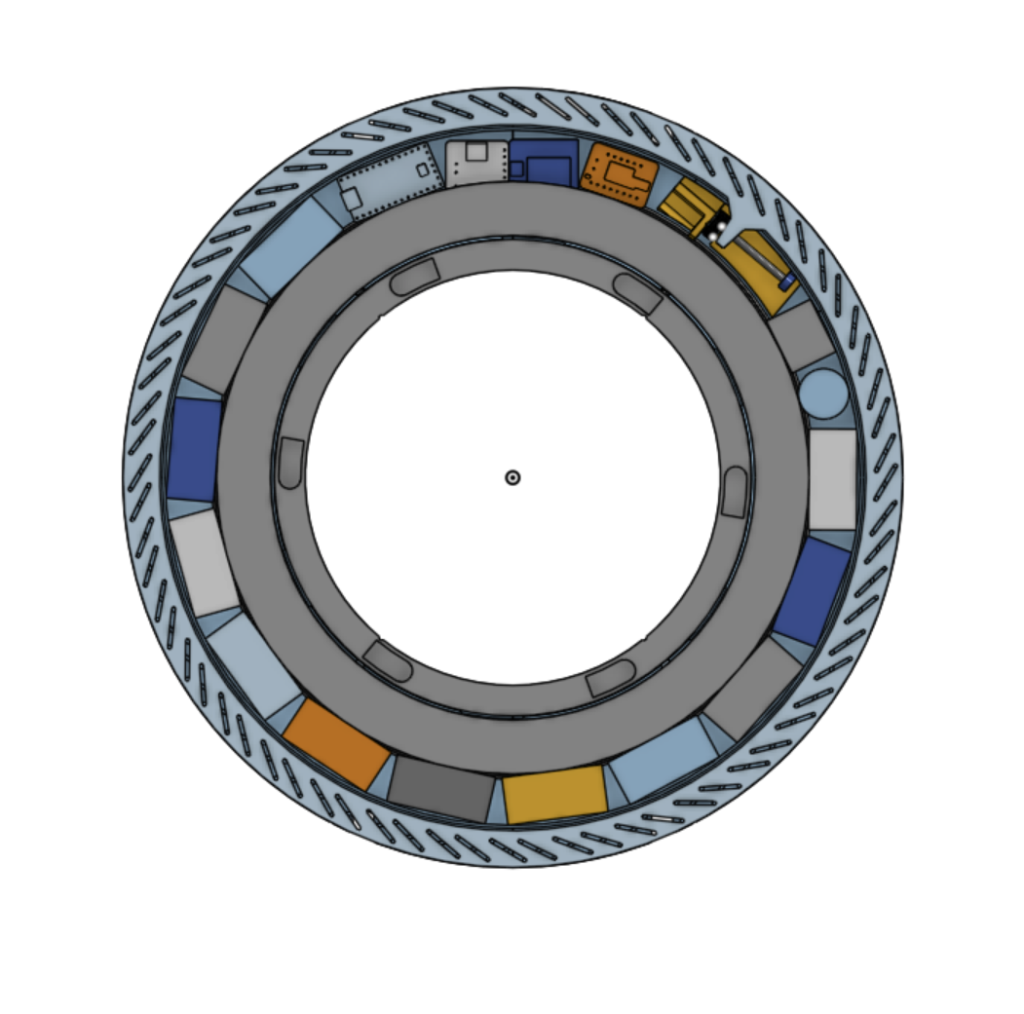
The new disc has several improvements over the prototype. The most obvious being that the exterior accents from the movie are present; this is one feature that would have been super difficult to model on the existing CAD that I had. The other big change was that I had to modify how the control board was done. The feather was too large to nicely get into the disc; having to sand down the corners was not ideal. So I went and searched for a new board setup to meet my needs; I also decided that whatever I was going to choose would be mounted to a custom PCB so that I did not have to fight with 20 wires in such a tight space. Again I checked Adafruit’s inventory and found these options to meet the needs that I have.
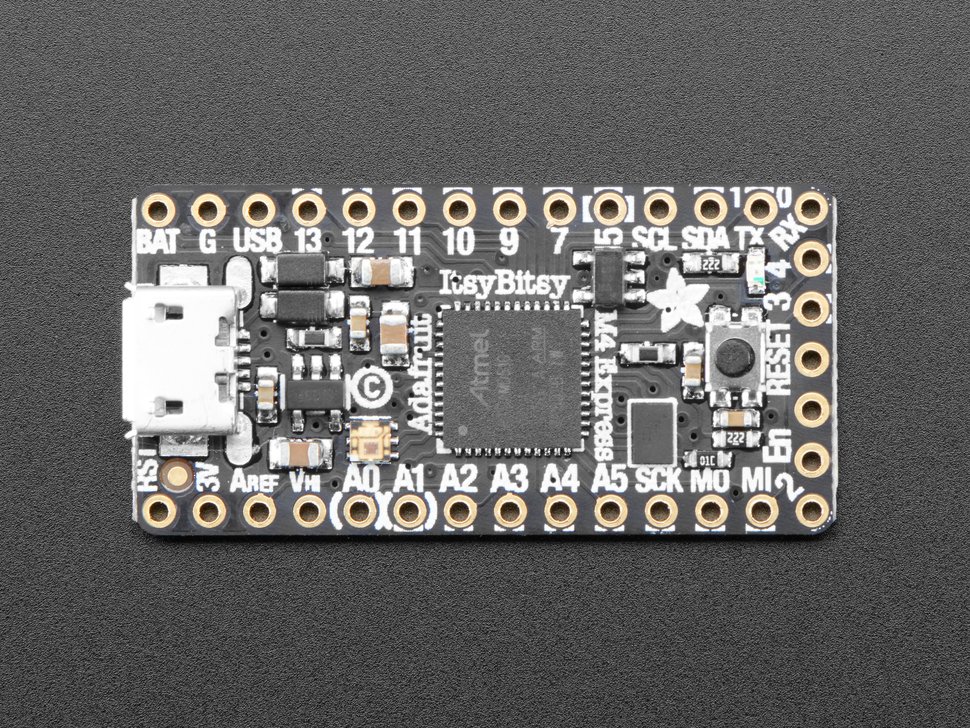
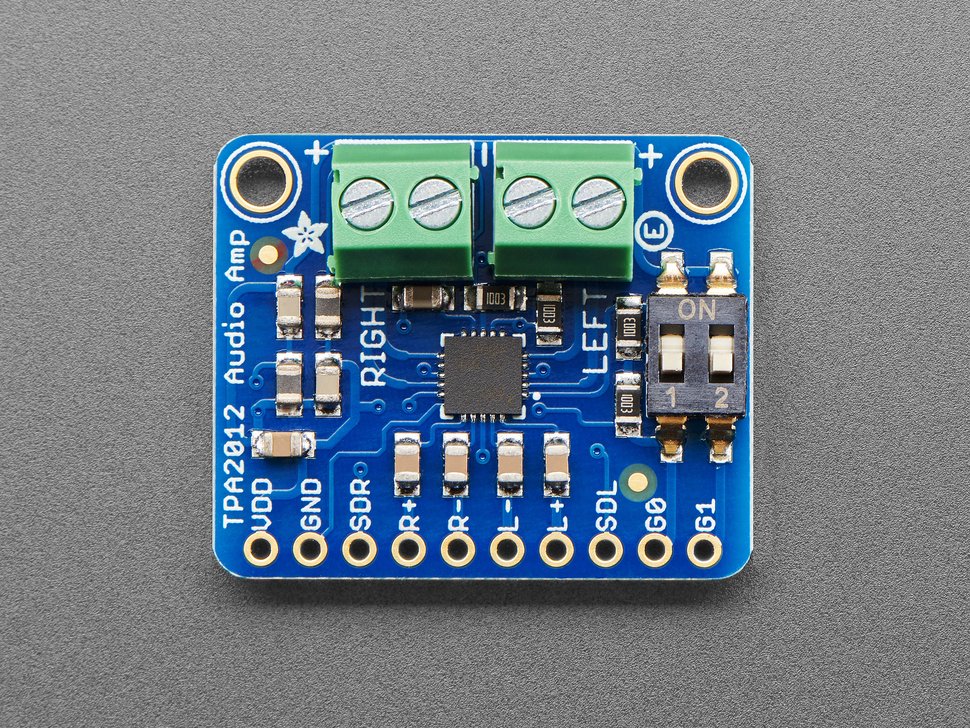
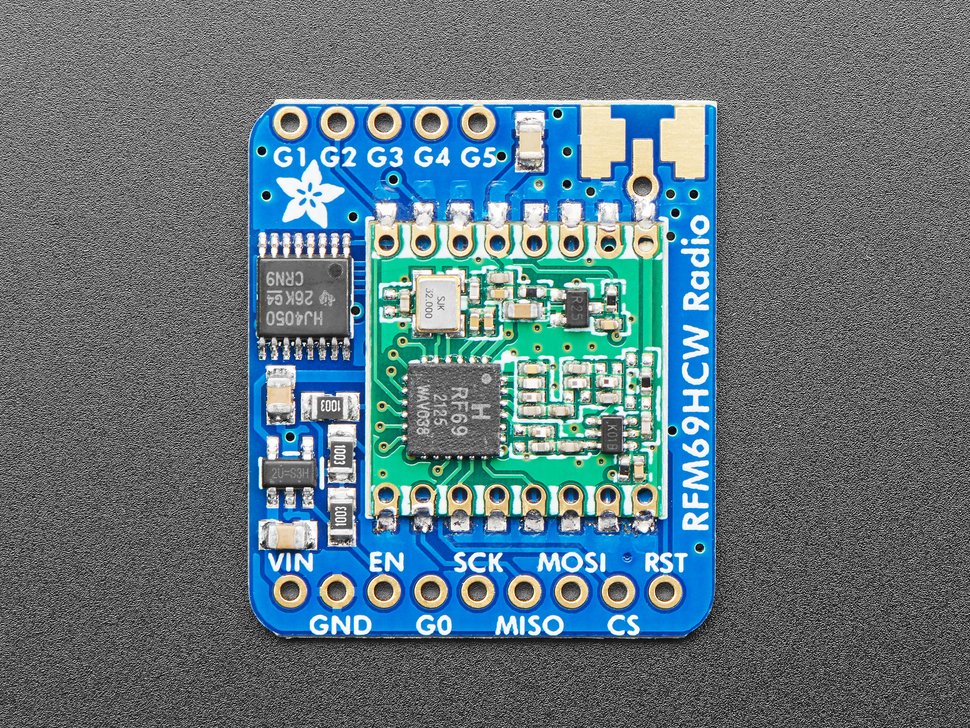
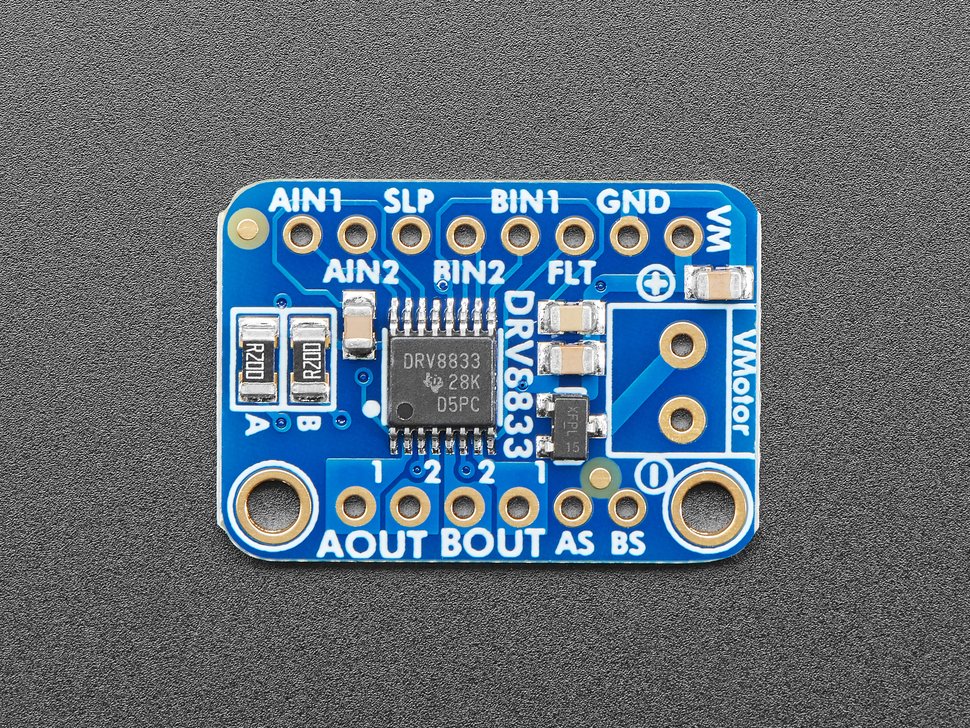
Using the combination of these 4 boards gives:
- High compute power from the M4 chip base
- Dedicated DAC for clean audio
- Dedicated logic level shifted pin for neopixel driving
- Breakout of audio signal to volume that can be heard in noisy environments
- Ability to receive new color setup wirelessly over radio signals
- Ability to drive strong motors very reliably in clockwise or counterclockwise directions
I recreated these board in CAD so that I could position them onto the disc and get the shape for the custom PCB that I designed and ensure that the stack up would still fit securely into the inner cavity. I had to learn another new skill to setup the custom PCB, luckily I found a free PCB design software called KiCAD. It took me a while to understand how it was setup and what I needed to create the board details to then submit to PCB manufacturers to get quotes on the boards. However once I understood how the software was setup I was able to design this board to fit wonderfully into the new disc.
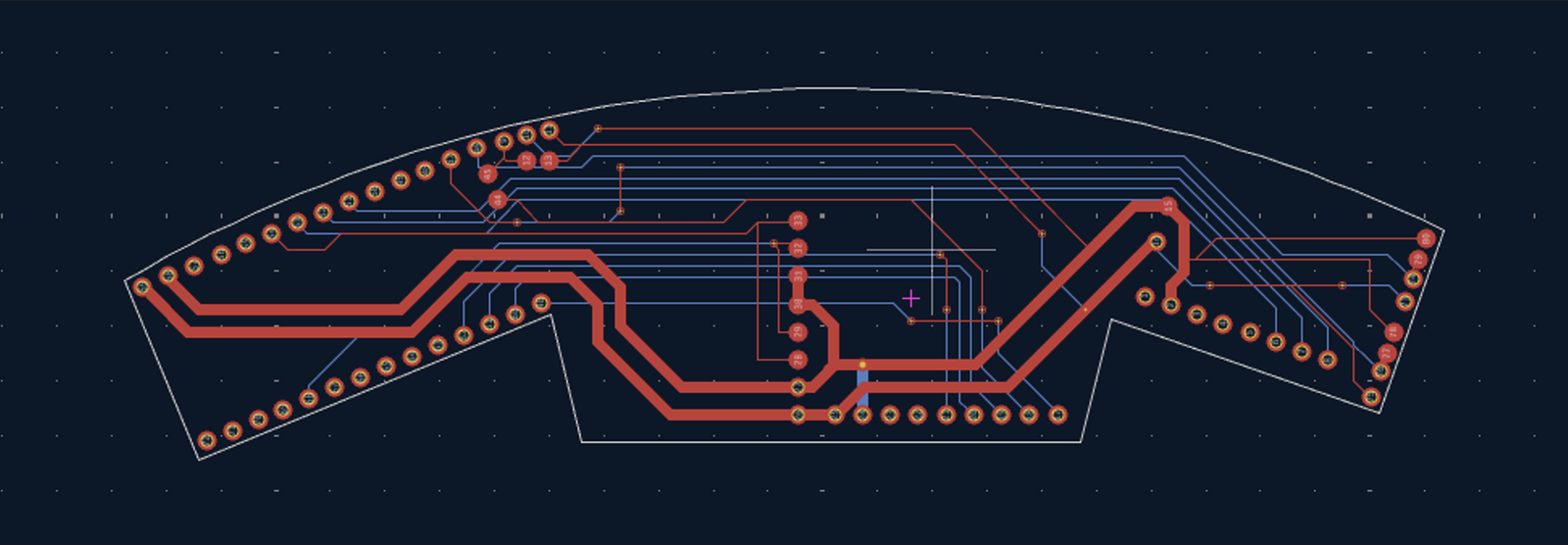
I then was able to export the design files and submit to a couple PCB manufacturing companies. There were several that were impacted heavily by tariffs and also added on additional high charges for shipping and shipping to my address. Luckily I eventually found that Digikey had PCB manufacturing capabilities. Even though they charges more for the boards themselves the shipping was so much cheaper that the overall cost was FAR less than going with an international supplier. Before I commit to the PCB design through and submit an order for the PCB I want to make sure that the boards will communicate with each other as I’m expecting them to. Essentially I want to test if the traces that I set up will work correctly and so I wired a breadboard with the same connections as how the PCB is set up.
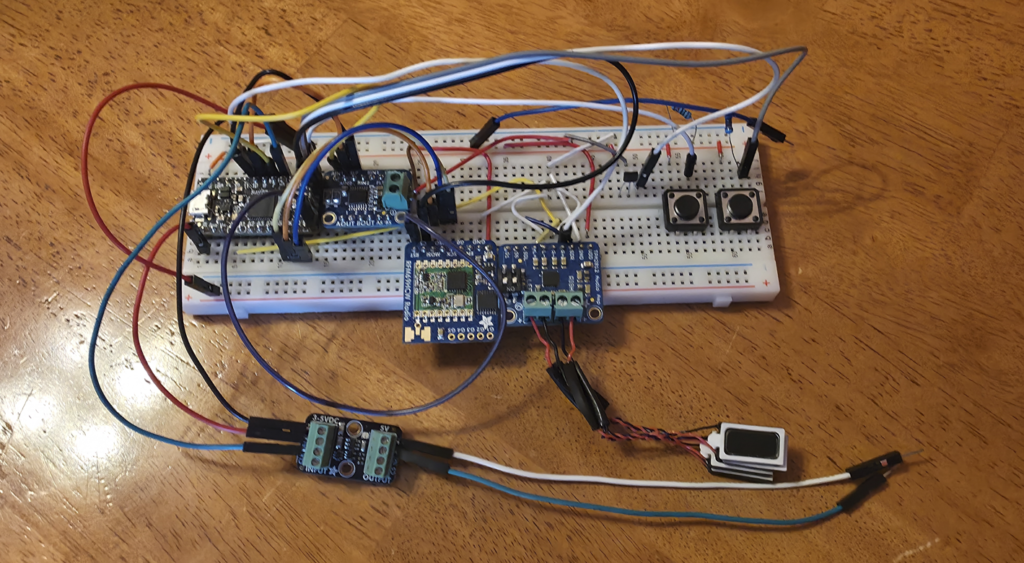
I was able to test the audio and Neopixels functions pretty easily. I had done the most with those two items on the initial prototype so I was the most confident with being able to test those quickly. And I was correct with being able to test both of those functions, although I did spend more time on the Neopixels than I should have. I ended up setting the RGB values to 0. So it looked like the LEDs were not doing anything they were just showing the colors I told them to which was no color. But once I changed those values they instantly turned on. Although the audio was continuously looping I just needed to know that the audio and Neopixels would work at all. That way I could go ahead and order the custom PCBs and fine tune the coding when everything was on the PCB.
Then I went to test the motor function, this was particularly difficult on the initial prototype as the Propmaker daughter board for the Adafruit feathers doesn’t have a motor controller onboard. But on this iteration I decided to add an entire dedicated motor control board to the setup. the DRV8833 from Adafruit was a small board that fit easily into the Disc internal cavity. I also wanted to use a dedicated controller so that I could use more powerful motors and not have to resort to disassembling hobby servo motors. I was able to use Digikey to find these two options for motors.
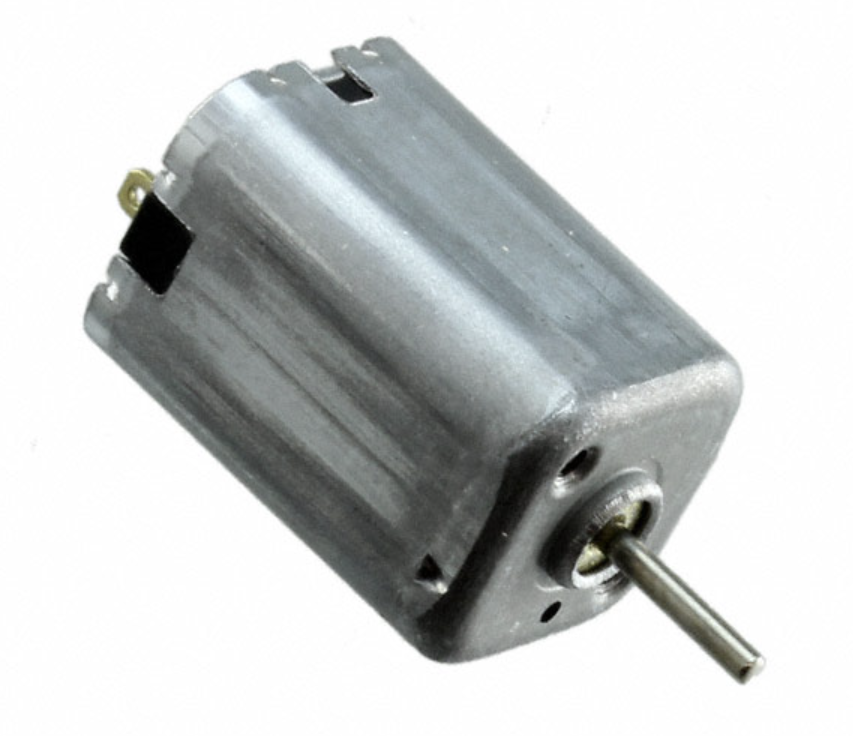
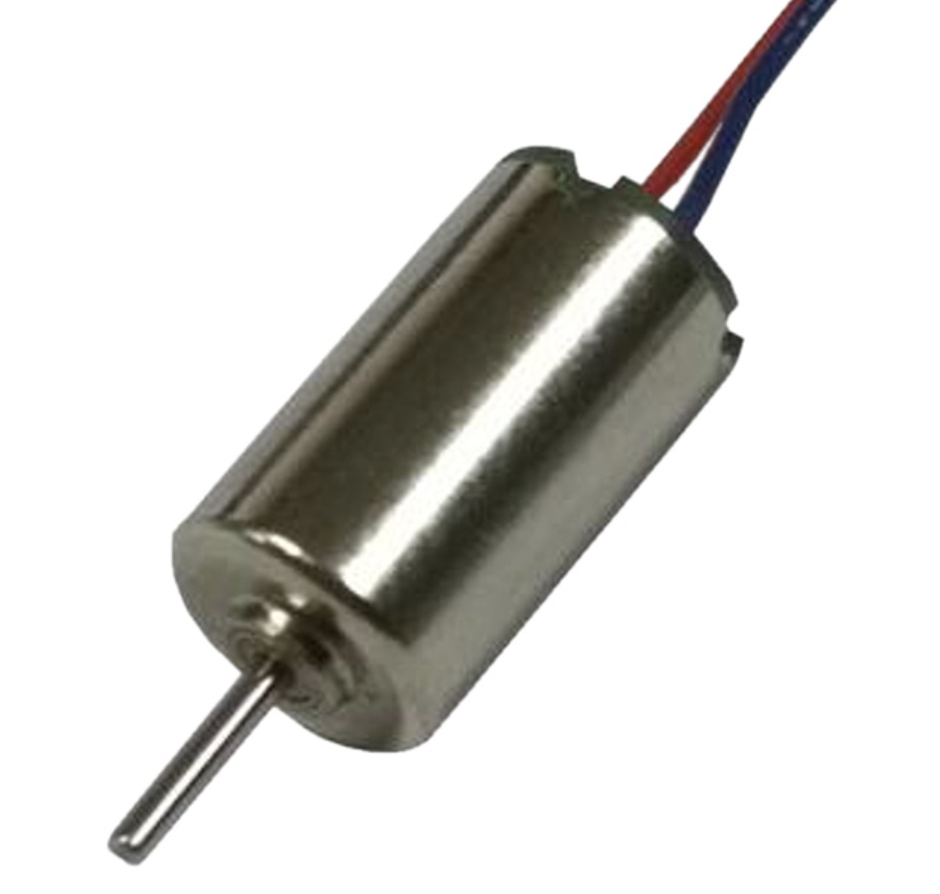
These were two powerful but small motors that I knew if I could fit them into the disc cavity would work well. The square motor was preferred as it is 1.25x stronger than the round motor so if I could get the motor controller to run it with the supplied 5V then it would be preferred, if not then I could go with the round motor still pretty strong for how small it is. Utilizing an example code I was able to get the square motor running with practically 0 tweaking ensuring that the traces setup on the PCB would work.
All that was left now was to verify that the RF board would be able to function properly. I knew this would be the most difficult part of these checks. Back when I got two RF boards to communicate the LED color it was a very tedious process and it was done on the Arduino IDE, now I had to translate that to Circuit Python. Initially the board was not working and caught in a fault state from some portion of the source code. I ended up fixing this by switching one of the data pins to a logic shifted pin. This pin output logic at 5V instead of the 3.3V standard of the board. I am not sure why this worked but it did, I was even able to switch the source pin back to the original and it continued to work.
Either way I am very happy yo have verified the function of all the daughter boards and went ahead with purchasing 4 PCBs from Digikey. These 4 amounted to $41 and ship from California, so no tariffs and free shipping was included. This total price was significantly cheaper than the shipping alone from other suppliers.
The other big change between this new design and the prototype is the power storage. Since I had to have dedicated charging boards for each lipo it cut the amount of lipo’s I could have significantly, there were only 8 possible for a total charge of 3200 mAh. So I could run a 3200 mA load for 1 hour with this setup; the prototype used 83 Neopixels that draw up to 35 mA each for a total load of up to 2905 mA. So I am able to get a maximum runtime of just over an hour with the current arrangement. However to get a smoother color, without bright spots, more LEDs would be helpful so I could increase the LED density from the 60 LEDs/meter for the outer edge and 30 LEDs/meter for the inner portions. The batteries however can only output a maximum of 600 mAh, so theoretically I could put 137 LEDs into the disc half. I could double the density of the internal portions of the LEDs with the current setup, but driving that amount of LEDs draws 4095 mAh so each battery needs to output 511 mAh. Giving a run time of 45 minutes, this will also be harsher on the batteries and could damage them or lead to a shorter overall lifetime. If this can be avoided it definitely should. So in the new design I looked into setting up a custom charger to save on space and add in more batteries. I found a charging chip from Texas Instruments that is very simple and should allow me to charge each battery safely since I am setting it up myself I can combine all of the charging circuitry onto one board saving significant space. The right most image on the new design pictures above shows an internal view and the 12 batteries that now fit into the assembly, a 50% increase over the original. Even if I have to eliminate one of those for the new charging circuitry I am still getting 37% more capacity than the original for 4400 mAh of charge which can very safely handle the 4095 of the upgraded LED density.